The AI Lecture Note Taker That Turns Class Into Study-Ready Notes
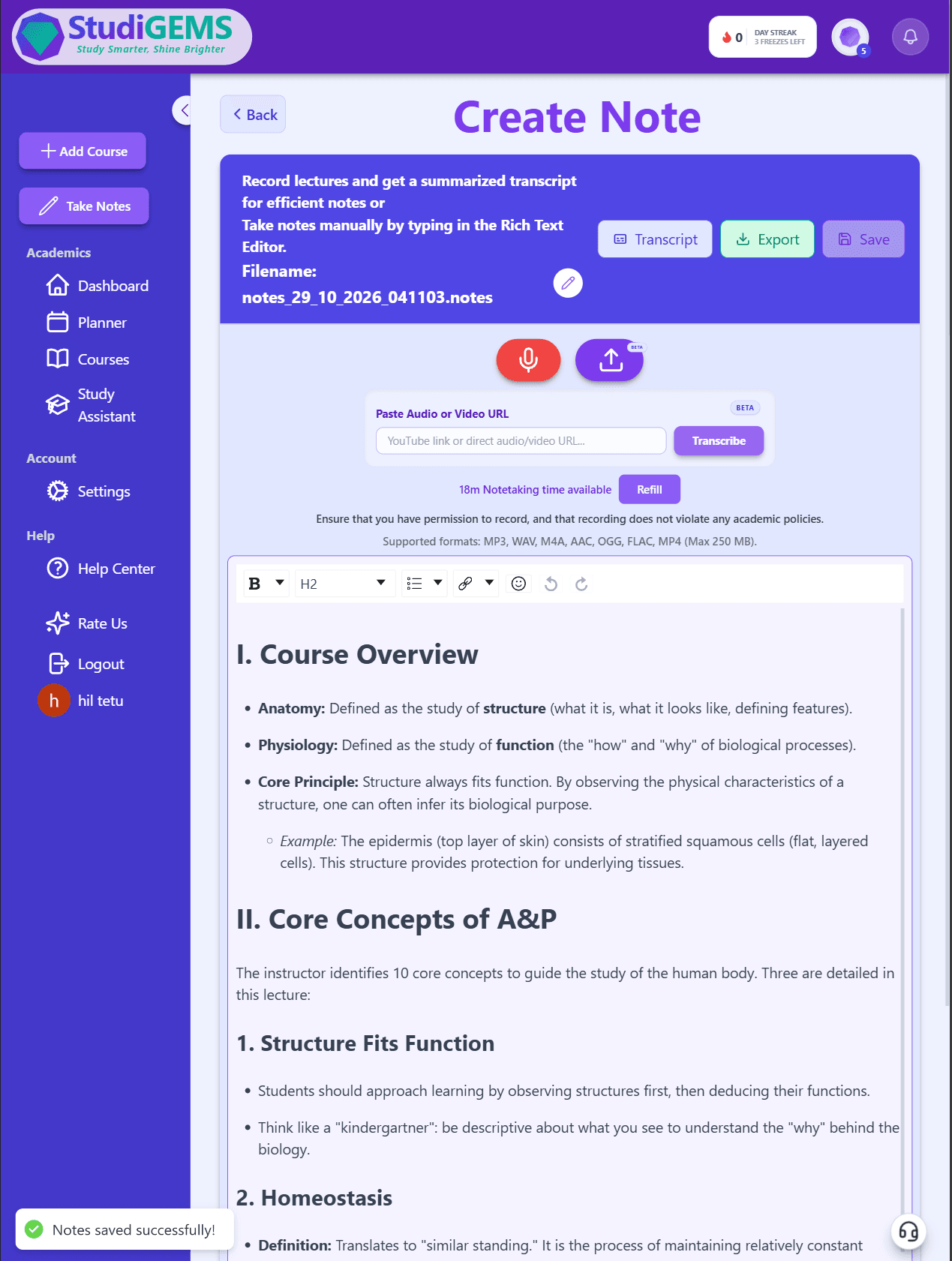
Record class live or upload a recording. The StudiGEMS AI lecture note taker turns it into organized notes (summary, key terms and definitions) saved right in your course.
Trusted by students at Harvard, Ohio State, Arizona State, and 100+ other top colleges
From Typing Frantically to Actually Listening
Stop choosing between keeping up and understanding. Record the lecture and let the note taking AI do the writing.
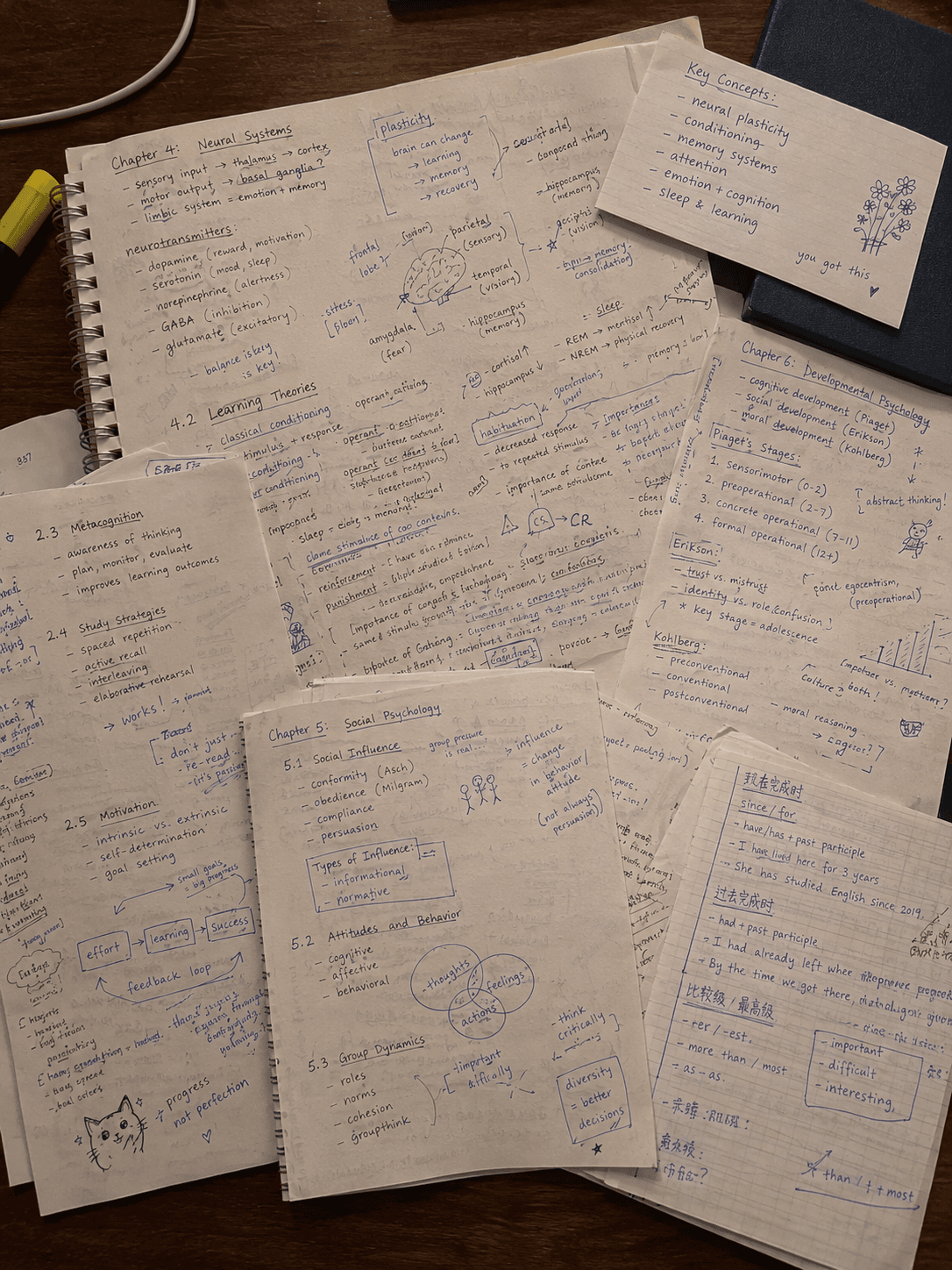
😰 Before: Typing notes in class
- •Typing as fast as you can and still missing points
- •Too busy writing to follow the explanation
- •Messy notes spread across docs, notebooks and apps
- •Rewriting everything before the exam
🎯 After: StudiGEMS AI note taker
- Hit record and pay attention to the lecture
- Get a summary, key terms and definitions afterward
- Notes saved under the right course automatically
- Turn them into flashcards and quizzes in a few simple clicks
What Is an AI Lecture Note Taker?
What is an AI lecture note taker?
An AI lecture note taker is an app that records a lecture, or takes a recording you already have, and turns it into organized study notes: a summary, key terms and definitions. StudiGEMS saves those notes under your course, next to your exam dates, and turns them into flashcards and practice quizzes.
When is an AI note taker for lectures most useful?
Fast-paced lectures, dense material, and classes where you'd rather follow the explanation than type it. Record the lecture, listen while it happens, and review organized notes afterward instead of a half-finished doc.
From Lecture Recording to Notes in 3 Steps
Pick the Course
Choose which class the lecture belongs to, so your notes land in the right place.
Record Live or Upload
Record in your browser on a laptop or phone, or upload a recording you already have. New to it? Here's how to record lectures on any device.
Get Your Notes
Get a summary, key terms and definitions, then turn them into flashcards or a practice quiz.
The App That Records Lectures and Takes Notes for You
One lecture recording in, a full set of study material out.
Lecture Summary
A plain-language summary of what the lecture covered, so you can review the main ideas in minutes.
Key Terms & Definitions
The terms you'll need to know, pulled out with their definitions instead of buried in a transcript.
Flashcards & Quizzes in a Few Clicks
Turn the same notes into flashcards and a practice quiz, so you test yourself instead of rereading.
Record on Your Phone
Record in your phone's browser once you allow microphone access. No app to install.
Upload or Paste a Link
Turn audio to notes from a recording you already have. Upload it or paste a link, including recordings of online classes. Links must be YouTube links or direct download links to the audio or video file.
Built for Students
An AI note taker for students, not meetings: notes are organized by course, not by calendar invite.
Already have typed notes or PDFs instead of a recording? Summarize notes with AI using the same course workspace.
Prefer taking notes by hand? Use our Cornell notes template.
Notes That Live With Your Course and Your Exam Dates
Most note-taking AI gives you a file. StudiGEMS gives the notes a home.
Saved Under the Course
Every lecture's notes are filed under the class they came from, alongside your slides, study guides, flashcards and quizzes for that course.
Tied to Your Exam Dates
Upload your syllabus and StudiGEMS pulls out every exam date, so you know which lectures to review and when. The Study Plan Generator can then schedule that review for you.
Your Lecture Isn't Lost if Something Goes Wrong
Losing an hour-long lecture halfway through is a real fear. So StudiGEMS backs up your transcript as you record.
- Browser closed, laptop died or Wi-Fi dropped? The transcript is kept.
- Once you're back online, summarize it into notes like any other lecture.
Students asked for this, so we built it.
AI Note Taker vs. Recording-Only App vs. Typing Notes
Which way of capturing a lecture actually leaves you with something to study?
⚡ AI Note Taker
RECORD + GET NOTES| Feature | ⚡ AI Note Taker | Recording-Only App | Typing Notes |
|---|---|---|---|
| What you end up with | Organized notes: summary, key terms, definitions | An audio file | Whatever you managed to type |
| Can you focus on listening? | ✅ Yes, you just listen | ✅ Yes | Partly: you're typing |
| Flashcards & quizzes | ✅ Flashcards + quizzes from the same notes | ❌ You make them yourself | Only if you make them |
| Organized by course | ✅ Saved under the course | Only if you file it | Only if you file it |
| If something goes wrong mid-lecture | ✅ Transcript is backed up | Depends on the app | Only what you typed is saved |
| Downside | Check your school's recording rules first | Re-listening to a full lecture takes as long as the lecture | Hard to type and follow along at the same time |
💡 Bottom line:
A recording-only app captures the lecture but leaves the note-taking to you. Typing captures what you can keep up with. An AI note taker does both: you listen in class, and you leave with organized notes and study tools for that course.
Comparing specific apps? See our breakdown of the best AI note taking apps for students.
Can I Record My Lectures?
Often, yes, but it depends on your school and your instructor. Ask your instructor first and check your syllabus. If you need recordings as an accommodation, your campus disability services office can help. Some states also have their own rules.
Read our guide to lecture recording rules before your first class. It's general guidance, not legal advice.
Simple, Student-Friendly Pricing
Start free. Upgrade when you're ready. Cancel anytime.
Free Starter
Try the operating system
- 1 active course with full OS features
- Syllabus deadline extraction
- 10 flashcards per assessment
- Study guide generator
- Study Plan Generator (1 free plan)
- Short practice quizzes (5 questions)
- AI note-taking (pay as you go)
Premium
(Only $47.99/year)
The full operating system
Like getting 4 months for free!
- Everything in Free, plus:
- Unlimited active courses
- Calendar sync (Google, Apple, Outlook)
- AI note-taking: 36 hours included
- Unlimited flashcards per assessment
- Unlimited practice quizzes
- Unlimited practice exams
- Study Plan Generator (unlimited plans)
- Smart deadline and study reminders
- 1 GB file storage
- Priority support
Student Testimonials
“I was failing with 5 weeks left in the spring semester, but I passed with a B-. StudiGEMS helped me get organized, complete my assignments on time, and prepare for exams.”
Frequently Asked Questions
Everything you need to know about our AI note taker for lectures.
Stop Typing. Start Listening.
Record your next lecture and get organized notes in your course. 30 free minutes, no credit card required.
What's next? Once your lecture notes are ready, the Study Guide Generator can turn your notes and slides into an exam-ready study guide.